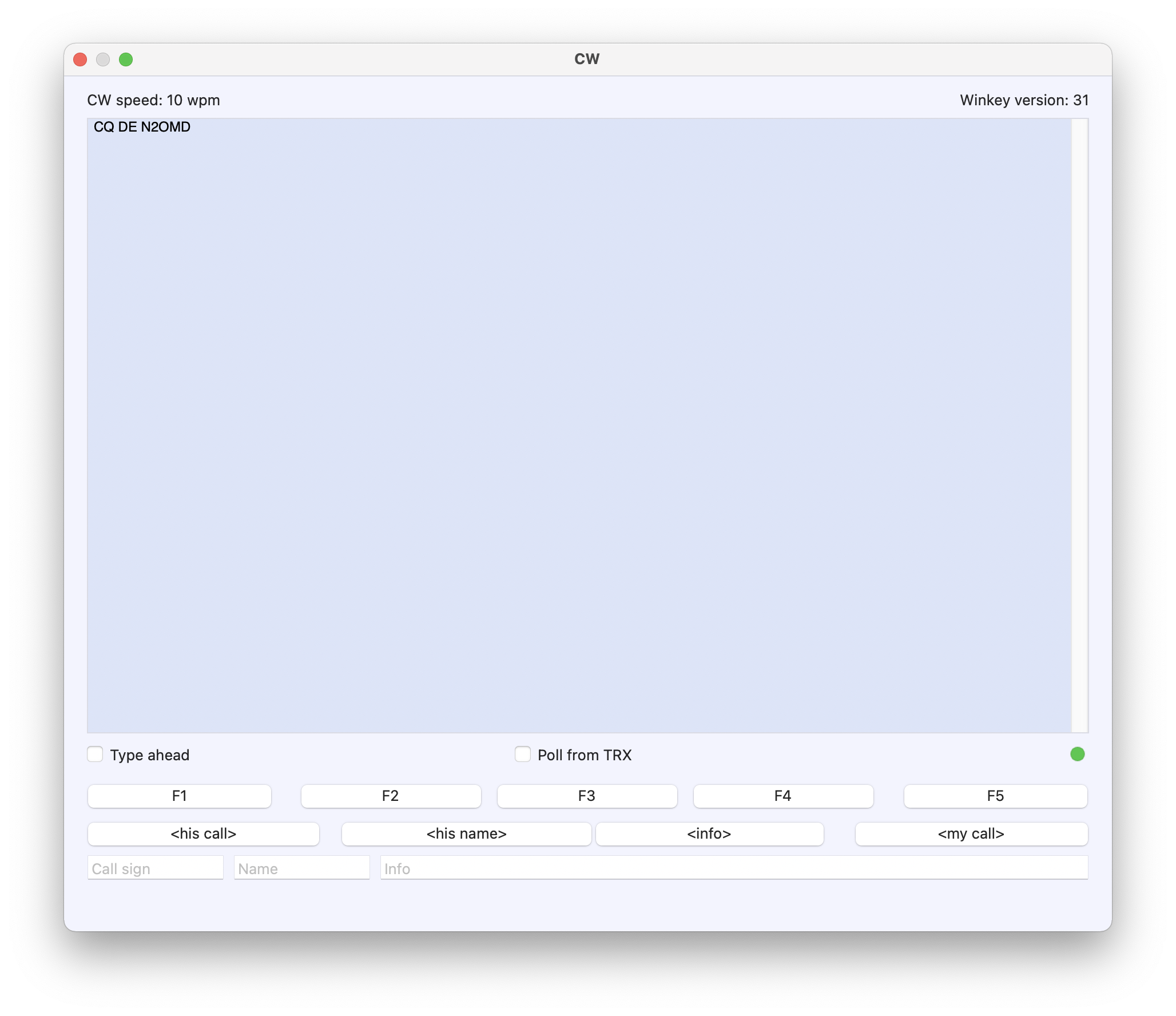
Using Winkeyer USB with the 3.1 chip with RUMlogNG Version 5.1.1
(455) can be a great training aid to learning morse code. I am
running MacOS Big Sur Version 11.1 (20C69).
On the Macintosh platform, one can use the paddle to key your
Morse code, and the text will be decoded and appear in the CW
window. Typing on the keyboard will send data to the WinKeyer and
the Dits and Dahs will be audible for copy practice. One does not
need to be hooked up the the radio for this.
This can be very useful for CW practice with a coach who does not
know the code. Your coach can type on the keyboard to send code to
you. You key in your response with your paddle and the coach can
read the text on the screen.
This setup is also helpful for solo practice to monitor the
accuracy of your sending.
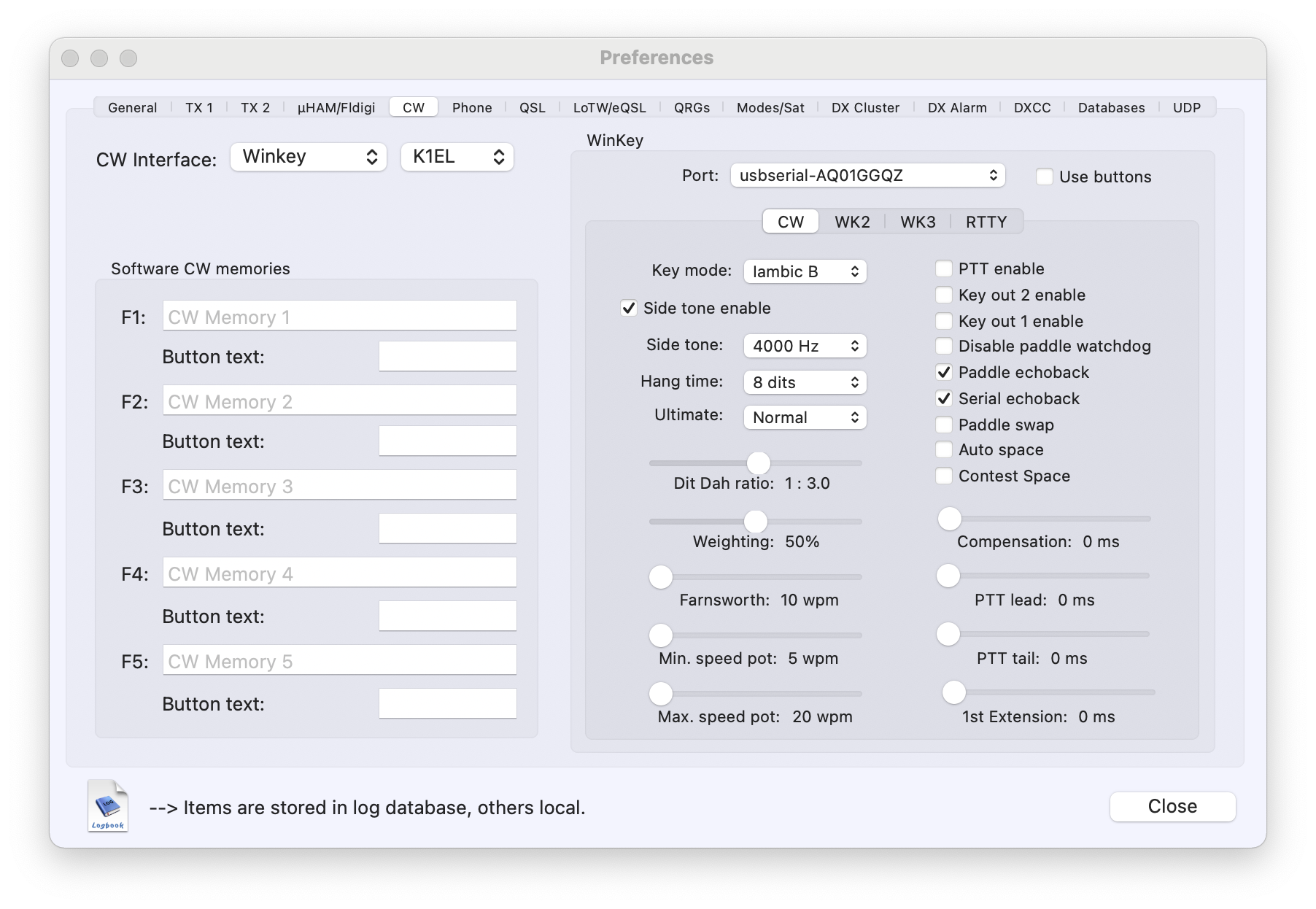
Make sure you have the correct driver installed and connect your
WinKeyer USB. Under the RUMlogNG menu select "Preferences..." to
set it up as below:
Under the RUMlogNG menu select Window -> CW Tools.
Key in the code using your paddle and the text will appear in the
window. Type on the keyboard and you will hear the code.